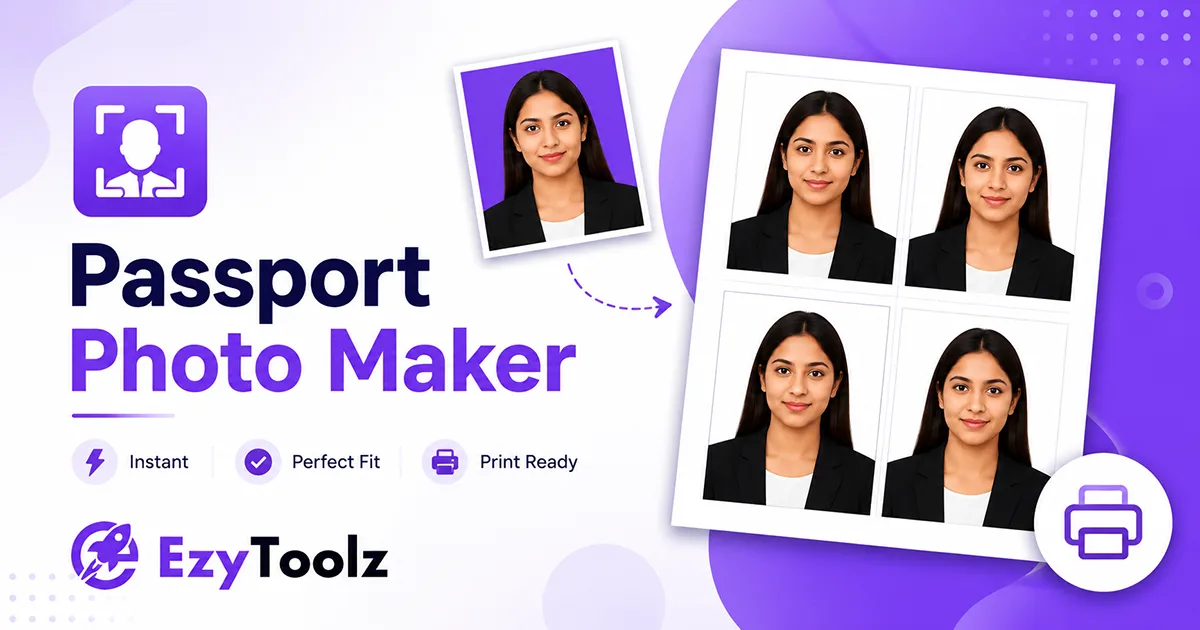
Getting a passport size photo online free used to mean finding a studio or a photo booth, paying ₹100-200, and hoping the photo does not get rejected. The EzyToolz Passport Photo Maker lets you do it from your phone or laptop — upload a photo, crop it to the right size, change the background to white, and download a print-ready sheet. No app, no account, no cost.
Works for Indian passport, Aadhar update, PAN card, NEET and JEE exam forms, Schengen visa, US passport, and more — each with the correct dimensions already set.
Where You Need Passport Size Photos in India
| Document / Form | Required Size | Background |
| Indian Passport | 3.5 × 3.5 cm | White |
| Aadhar Card Update | 3.5 × 3.5 cm | White |
| PAN Card Application | 3.5 × 3.5 cm | White |
| NEET / JEE Exam Form | 3.5 × 4.5 cm | White / Light |
| SSC / UPSC Applications | 3.5 × 4.5 cm | White |
| Indian Visa Application | 2 × 2 inch | White |
| Schengen Visa | 3.5 × 4.5 cm | White / Grey |
| US Passport | 2 × 2 inch | White |
| UK Passport | 35 × 45 mm | Light grey |
| Driving Licence (India) | 3.5 × 3.5 cm | White |
Passport photos are required for more documents than most people realise. Here are the most common ones:
| All these size standards are pre-loaded in the tool Select your document from the 'Photo Size Standard' dropdown — the tool automatically sets the correct dimensions and crop ratio. No manual calculation needed. |
How to Create Passport Size Photo Online Free — Step by Step
Step 1 — Upload Your Photo

Open the tool and upload a photo from your phone or computer. Drag and drop it into the upload area or click 'Select Photo' to browse.
- Use a recent, front-facing photo — looking directly into the camera, neutral expression.
- Plain background preferred — white or light-coloured wall works best. If the background is cluttered, use the EzyToolz Background Remover first to get a clean white background before uploading.
- Good lighting — natural daylight or a well-lit room. Avoid shadows on the face.
| Background issue? Fix it before uploading If your photo has a coloured or busy background, go to test.ezytoolz.com/image/background-remover/ first. Remove the background with one click, then upload the clean image to the passport photo tool. Takes 30 seconds. |
Step 2 — Crop and Adjust

This is where you set the final photo dimensions and make any adjustments:
- Select your document standard from the dropdown — Indian Passport, NEET form, US Passport, Schengen Visa, or Custom Size.
- Crop the image — move and zoom until your head and shoulders sit correctly within the crop guide. The tool locks the aspect ratio automatically.
- Set background colour — most official documents require white. Select white from the colour options or use the custom colour picker for specific requirements.
- Adjust brightness and contrast (optional) — if the photo looks dark or flat, use the sliders to improve it slightly.
- Add a border (optional) — some ID photos look cleaner with a thin border. Enable and customise if needed.
Step 3 — Generate the Print Sheet

After cropping, the tool arranges multiple copies of your photo on a print-ready sheet:
- Sheet size: Choose 4R (6×4 inch), A4, or Letter. For home printing in India, A4 is most common.
- Photos per sheet: Select how many copies to fit on the sheet — typically 6 to 8 passport photos per A4 sheet.
- 300 DPI resolution: The tool outputs at print quality — photos will be sharp when printed at a local print shop.
- Real-time preview: The layout is shown before you download — check spacing and alignment before proceeding.
Step 4 — Download

Two download options are available:
- Single photo: One cropped photo — use this for online applications, portals, or forms that ask for a digital photo upload (NEET, SSC, passport portal, DigiLocker).
- Full print sheet: Multiple photos arranged on one sheet — download as JPG or PDF and print at home or at any local print shop.
Frequently Asked Questions
Is the EzyToolz passport photo maker completely free?
Can I use this for NEET and JEE exam form photos?
Does the tool work on mobile?
What if my photo background is not white?
What print size should I choose for printing in India?
Can I use this for Indian passport and Aadhar card both?
Is the photo stored on EzyToolz servers?
No Studio, No App — Done in 2 Minutes
A passport size photo online free used to require a trip to a studio. The EzyToolz Passport Photo Maker handles it in your browser — correct dimensions for every Indian and international document, white background in one click, and a print-ready sheet to take to any print shop.
Open the tool, upload your photo, and download in under 2 minutes.